DUKE NUKEM 3D-ATOMIC EDITION - Video game GAMES PC - Free user manual and instructions
Find the device manual for free DUKE NUKEM 3D-ATOMIC EDITION GAMES PC in PDF.


| Product type | Video game |
| Platform | DOS only (compatible with Windows 95 via DOS mode) |
| Minimum configuration | 486 DX2/66 processor, 8 MB RAM, VGA graphics card, 100 MB hard drive, CD-ROM drive, DOS 5.0+ |
| Recommended configuration | Pentium 75 MHz, 16 MB RAM, SVGA video card, 100 MB hard drive, CD-ROM drive, sound card |
| Supported input devices | Joystick, mouse, GamePad, Flightstick, Thrustmaster/Wingman |
| Supported graphics cards | VGA and SVGA |
| Supported sound devices | Gravis UltraSound, Sound Blaster/Pro/16/AWE32, SoundMan16, Pro Audio Spectrum, SoundScape, WaveBlaster, Sound Canvas, Adlib, Disney Sound Source, General MIDI |
| Game modes | Single-player, multiplayer (network, modem, serial), DukeMatch (up to 8 players) |
| Number of episodes | 4 episodes: L.A. Meltdown, Lunar Apocalypse, Shrapnel City, The Birth |
| Available weapons | Foot, pistol, shotgun, ripper, rocket-propelled grenade, pipe bomb, shrinker, microwave expander, devastator, trip bomb, freeze gun |
| Inventory items | Medkit, Jetpack, Night Vision Goggles, Steroids, Protective Boots, Scuba Gear, Holoduke, Keycards |
| Parental features | Parental lock with password to disable adult scenes |
| Saving games | Quick save (F2) and load (F3), demo recording (F6) |
| Default controls | Keyboard, mouse, joystick: customizable keys via SETUP |
| Help and support | Online manual (DN3DHELP.EXE), telephone hotline, email, website |
| Health precautions | Epilepsy warning, recommended breaks every hour |
Frequently Asked Questions - DUKE NUKEM 3D-ATOMIC EDITION GAMES PC
User questions about DUKE NUKEM 3D-ATOMIC EDITION GAMES PC
0 question about this device. Answer the ones you know or ask your own.
Ask a new question about this device
Download the instructions for your Video game in PDF format for free! Find your manual DUKE NUKEM 3D-ATOMIC EDITION - GAMES PC and take your electronic device back in hand. On this page are published all the documents necessary for the use of your device. DUKE NUKEM 3D-ATOMIC EDITION by GAMES PC.
USER MANUAL DUKE NUKEM 3D-ATOMIC EDITION GAMES PC
Minimum: An IBM® or 100% compatible 486 DX2/66, running DOS 5.0 or greater with 8 Mb RAM, a VGA graphics card, 48 Mb free space on a hard disk drive, and a CD-ROM drive.
Recommended: A P 75 running DOS 5.0 or greater (Pentium™ required for SVGA modes) with 16 Mb RAM, VGA local bus video, 100 Mb free space on a hard disk drive, CD-ROM drive, and a sound card.
Supported Input Devices: Jeystick, mouse, GamePad™. Flightstick™ and Thrustmaster/Wingman™.
Supported Graphics: VGA and SVGA.
Supported Sound Devices: Gravis UltraSound™, Sound Blaster/Pro/16/AWE32™, SoundMan16™, Pro Audio Spectrum™, SoundScape™, WaveBlaster™, Sound Canvas™, Adlib™, Disney Sound Source™ and General MIDI.
INSTALLATION
To play Duke Nukem 3D, you must first install the game. The program's installation utility will place all of the necessary files onto your hard drive. To install the game:
- Place the CD into the CD-ROM drive. Type the letter of the drive followed by a colon and press the ENTER key. Example: D:
. - Type INSTALL and press the ENTER key.
- Follow the instructions in the installation program.
- After installation is complete, type SETUP and press ENTER to configure the game for your computer.
- Once the setup is complete, select the "Save and Launch Duke Nukem 3D" option from the setup program to play the game. To run the game from the DOS prompt, type DUKE3D and press the ENTER key.
Note: This is a DOS-only game. Duke Nukem 3D is not designed to run error-free within the Windows™ or Win95™ operating systems. It is advisable to boot into DOS before playing.
GETTING STARTED
To start a game of Duke Nukem 3D, first run SETUP to configure sound, video, and controls. Then, go to your Duke Nukem 3D game directory and type DUKE3D. Once at the Main Menu, select "New Game" to start a game. If you want to learn how to start a multi-player game, please see the section of this manual titled "DukeMatch Choices" (on page 14).
DUKE'S MISSION
Murderous aliens have landed in Los Angeles, and the human race suddenly finds itself atop the endangered species list. Now, it's up to Duke Nukem to stop the onslaught against Earth, by doing what he does best — KICKING ALIEN ASS!
MAIN MENU
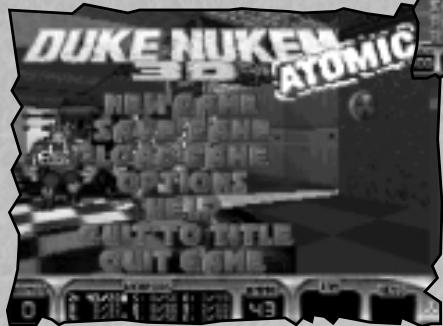
After setting up the game and launching Duke Nukem 3D, the Main Menu will appear. From the Main Menu, you can play a new game, restore a previously saved game, and configure the game to the way you prefer. To access each selection, use the arrow
keys or your input device to move the Nuke Symbol by the desired option and press the ENTER key. At any time, you may press the ESC key to move back to the previous menu.
Options Screen
Main Menu
NEW GAME
Once you've selected "New Game", you will be prompted for the name of the episode you wish to play:
SELECT AN EPISODE - Choose from four different episodes:
"L.A. MELTDOWN" EPISODE 1
"LUNAR APOCALYPSE" EPISODE 2
"SHRAPNEL CITY" EPISODE 3
"THE BIRTH" EPISODE 4
DIFFICULTY LEVEL - Choose from four difficulty levels:
"PIECE OF CAKE" EASY - Few enemies, and lots of stuff.
"LET'S ROCK" MEDIUM - Normal difficulty.
"COME GET SOME" HARD - For experienced players.
"Damn I'm GOOD" EXPERTS - Lots of enemies, plus they resawn!
Note: At anytime while playing the game, press the F1 key for a list of hot keys and their use and the game's story.
SAVE GAME (Press F2 during game play)
You can save your game anywhere in a level. If you have not started a game, this option will be dimmed, and not selectable. Your saved game is stored with a picture of where you were. Select a saved game slot, type in a name or description of the game to be saved, and press the ENTER key.
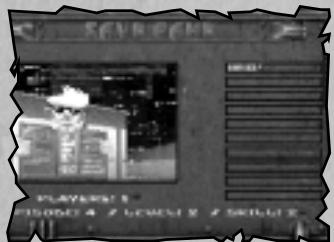
Save Game
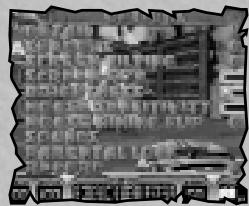
OPTIONS
Under the Options Menu, there are nine selections.
Most are self explanatory.
DETAIL: High\Low
SHADOWS: On\Off
SCREEN TILTING: On\Off
SCREEN SIZE: Adjust
BRIGHTNESS: Adjust
MOUSE SENSITIVITY:Adjust
SOUNDS:
Sound: On\Off
Music: On\Off
Sound:Volume Adjust
Music:Volume Adjust
Duke Talk: On\Off
Ambience: On\Off
Flip Stereo: On\Off
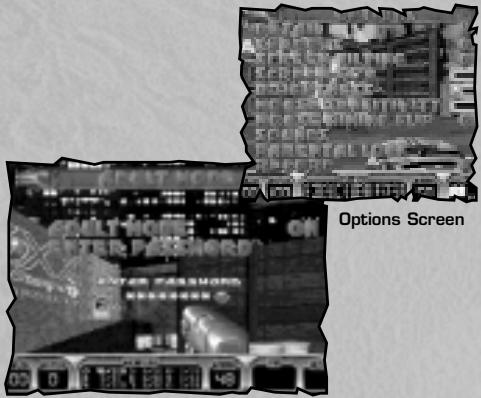
Parental Lock
Options Screen
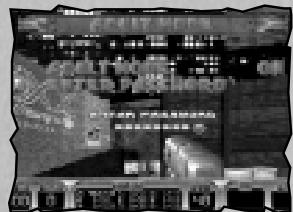
PARENTAL LOCK
This option is strongly advised for the parents of younger gamers. By placing a Parental Lock on Duke, the strong violence and adult themes are for the most part not displayed in the game. Once a password is entered, you cannot select "Adult Mode" without entering that password.
RECORD: On/Off (This option allows you to record a demo of the game.)
LOAD GAME (Press F3 during game play)
You can resume a previously saved game with this option. When loading a saved game, select the game you wish to continue, and then press the ENTER key.
RECORDING DEMOS
It's cool to record and playback your Duke Nukem play sessions, and pass them around to your friends. From the Options Menu, select "RECORD ON" before starting a game. Or, from DOS type DUKE3D /L# /N# /R to record a specific level (see Cheats section). When you select "RECORD OFF", quit, or die, the recording will end and be saved to disk as DEMO1.DMO.You can rename the demo for passing around, but it must be in the game directory as DEMO#.DMO to be seen when you run DUKE3D.To restore the original demos that come with the game, delete all .DMO files in the game directory.
2D AUTOMAP (Press the TAB key during game play)
The 2D Automap can be used to help Duke find his way. By pressing the TAB key, a top down view of the areas where Duke has been will be displayed. Also displayed is a top down picture of Duke.
Press the TAB key once to display a top down outline view of the automap over the game screen. In this mode, you can use the automap while still viewing the 3D action around
Duke.
Press the TAB key again to display a top down textured view. In this mode, the map is textured and sometimes more helpful for navigating your surroundings. In this mode, you cannot view the 3D action around Duke.
Press the F key to activate "Map Follow Mode" in order to view the entire map. You can zoom in and out in the automap by pressing the "+" key to enlarge the map and press the - " key to reduce the map.
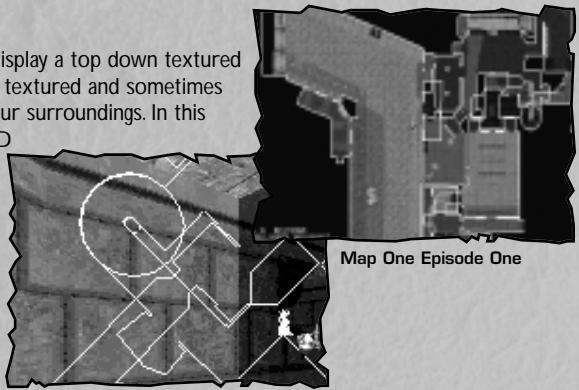
2D Automap
WEAPONS AND AMMO
There are many weapons Duke Nukem can have in his arsenal. Pressing the number of the weapon (using the top row of your keyboard) during game play will activate that weapon, unless you don't have it or have run out of ammo for it. Each weapon has its own type of ammo.
MIGHTY FOOT - (Press "1" to select.) Use this when Duke needs to do a little ass kicking.
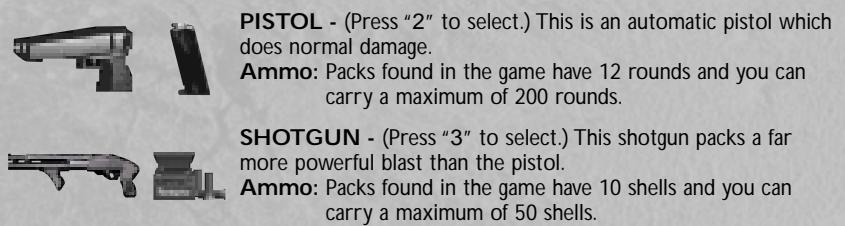


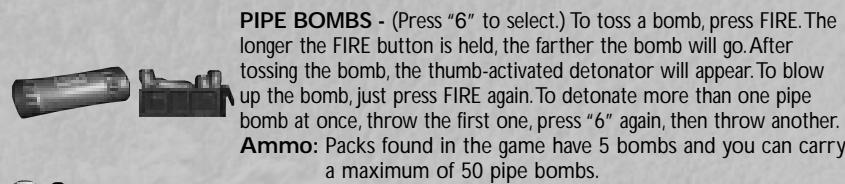




SHRINKER - (Press "7" to select.) This slick weapon will shrink your enemies to pint-sized for several seconds. During that time, Duke can stomp and squish the shrunken foes by walking on top of them.
Ammo: Crystals found in the game have 5 shots and you can carry a maximum of 50 shots.
MICROWAVE EXPANDER - (Press "7" to select/alternate between the Shrinker and the Microwave Expander.) By emitting microwaves, this weapon will superheat any enemy and cause it to expand until it finally "pops" into a bloody mess.
Ammo: Small microwave hardware upgrades with battery pack that give you 20 shots per pack up to a maximum of 50.
DEVASTATOR - (Press "8" to select.) Straight out of the Pentagon's top secret labs comes this double barreled brute of a weapon which lets loose swarms of miniature stinger missiles in the direction of your enemies.
Ammo: Packs found in the game have 50 rockets and you can carry a maximum of 99 rockets.
TRIPBOMB - (Press "9" to select.) Another strategic weapon which you place on flat walled surfaces. After a 2 second delay, a bright red laser beam is emitted across to the opposite wall. Crossing the beam sets off a powerful directional blast. Perfect for setting devious traps and barriers.
Ammo: Found in single units only and you can carry a maximum of 10 units.
FREEZER - (Press "0" to select.) Streams of freezing nitrogen discharge through the environment as this weapon chills its victim down to the point of death and ultimate crystallization. Once an enemy is frozen, you'll have only a few seconds to shatter him beyond the point of recovery.
Note: If an enemy is frozen and you can get next to him, Duke will auto-kick to shatter him.
Ammo: Each box of ammo contains 50 shots, and you can carry a maximum of 99 shots.
POWERUPS, ITEMS AND KEYS
The world of Duke Nukem 3D is littered with an array of items that help Duke accomplish his mission. Some items are utilized the instant they are touched, other items are put in Duke's inventory for later use. Inventory items may be used by either pressing their hotkey or by using the inventory selection interface which involves using the bracket keys ([ ]) and status panel to scroll through the available list.
HEALTH ITEMS

SMALL MEDKIT - This item gives Duke an instant boost of 10 health points. It will not take Duke's health over 100 points.

LARGE MEDKIT - This item gives Duke an instant boost of 30 health points. It will not take Duke's health over 100 points.

ATOMIC HEALTH - This prized health item will instantly boost Duke's health by 50 health points, and may take Duke's health as high as 200 points.

ARMOR - When this item is worn, Duke will suffer less damage from attacks. Armor eventually wears out and needs replacing.
INVENTORY ITEMS

PORTABLE MEDKIT - (Press "M" to activate.) Take health with you and use it as needed. The medkit holds 100 health points which can be applied to Duke's health at anytime. It will not take Duke's health over 100 points.

JETPACK - (Press "J" to turn on\off.) Duke's government-issue jetpack is one of his greatest tools, whether in mortal conflict against raging aliens or in personal grudge matches in DukeMatch. Turn it on, then use the jump and crouch keys to raise and lower yourself.

NIGHT VISION GOGGLES - (Press "N" to turn on\off.) Flip 'em on and your view takes on a bright greenish hue — and your opponents will glow like neon bull's-eyes. Battery life is limited on this item, so use only when needed.

STEROIDS - (Press "R" to activate.) This performance booster pumps up Duke's adrenaline glands, making him move with blinding speed and enables him to deliver strong kicks. Like most medications, once ingested 'roids must play-out until finished — you cannot turn them off. So use them only when you're ready, and hang on tight.

PROTECTIVE BOOTS - Once worn, this high tech footwear will automatically protect Duke when he's standing on toxic, hot, or otherwise harmful surfaces. They have only a limited wear cycle before they burn up, so always keep your eyes open for replacements.

SCUBA GEAR - Duke can hold his breath a long time, but not long enough to fully explore some underwater areas he will encounter. Scuba gear will automatically feed Duke with life-sustaining air while he is swimming in the murky depths. Especially useful in prolonged multiplayer DukeMatches, scuba gear should be grabbed whenever possible.
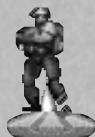
HOLODUKE - (Press "H" to turn on\off.) It took the tech labs 8 years to perfect this clever device, but now Duke can fool his enemies by projecting a holographic duplicate of himself which they'll fall for over and over again. In DukeMatch, the HoloDuke is the source of great deception and trap setting. The HoloDuke can be turned off and placed elsewhere as long as its battery life holds out.
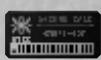
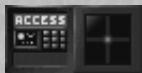
KEYCARDS - Doors into certain areas of the world will be protected by color-coded Keycard Security Locks, requiring Duke to present the appropriately colored matching key card at time of entry. Press the SPACEBAR when standing in front of the lock, and the appropriate keycard will be utilized.
ENEMIES AND CHARACTERS
Here are some of the enemies that Duke Nukem will encounter during the game:
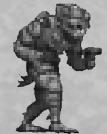
ASSAULT TROOPER - The green suited Assault Trooper is the basic alien ground assault trooper sent by the ruthless alien leaders to serve as the first offensive wave against Earth's defenses. They attack using a laser pistol, and can attack from the air by using jetpacks. When these characters are killed, they will sometimes drop pistol ammunition that you can take and use.
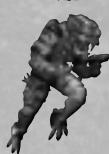
ASSAULT CAPTAIN - The red suited Assault Captains have a wrist-mounted Phase Induced Teleporter Device (PITD) capable of physically translocating its user to any destination within the device's range. Used as a tactical assault instrument, the PITD enables the Assault Captain to launch surprise attacks against his intended human targets at will. They will also sometimes drop pistol ammunition that you can take and use.
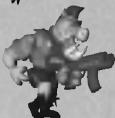
PIG COP - The Pig Cops come from mutated Earth police forces and are positioned to suppress residual human opposition and to police the new alien power on Earth. These characters exhibit an extremely high intolerance to the presence of humans, and are filled with rage when they detect human scent. When killed, this character may drop either their shotgun or body armor.
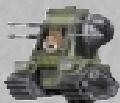
PIG COPTANK - These heavily armored riot tanks can take a lot of damage before they finally explode. And when they do, expect to find an angered Pig Cop behind a shotgun, aiming right at your face.
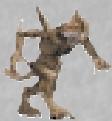
PROTECTOR DRONE - These new aliens are evil in every sense of the word, taking nearly twice the damage of a Pig Cop. So don't expect a single rocket to do the trick. On top of that, they move very fast, jump high, can claw you at close range, and have the nasty ability to emit shrink rays. Their main purpose is to protect their newborn alien Queen, so be very afraid when you meet one.

RECON PATROL VEHICLE - This sleek and deadly anti-gravity powered reconnaissance vehicle is operated by specially trained Pig Cops for the purpose of maintaining alien control in areas of human resistance. The attack mode of this craft is aerial strafing by side mounted laser cannons. The pilots of these craft are protected by an automatic pilot ejection mechanism that activates milliseconds before impact during a crash.
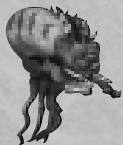
OCTABRAIN - This character's abundant brain mass and specialized trifocal vision combine to make the Octabrain a formidable alien weapon against all sentient life on Earth. Their method of attack is a powerful blast of mental energy released against its prey, thus weakening and confusing its intended victim. If the victim doesn't die from the mind blast, the Octabrain's powerful razor sharp teeth are ready to finish the job.

PROTOZOID SLIMER - It emerges from its egg pod with a simple nervous system and only one mission in life — to suck your brains out through your nose and leave you a lifeless heap on the floor. The Protozoid Slimeris evasive as it stretches its elastic body from ceiling to floor, and then creeps up your pant leg for the coup de gras. Get them before they get you.
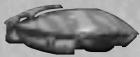
SENTRY DRONE - Mechanized death — there's no better way to describe these airborne alien watchdogs. By the time you hear their high pitched whine as they engage their anti-grav propulsion units, it's probably too late. The Drone will swiftly collide with its target and explode with great force.
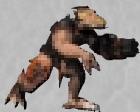
ENFORCER - With ripper blazing, the armored Enforcer can make fast business of dispatching any remaining human opposition. Powerful hind legs enable the Enforcer to leap to many places where an unsuspecting Duke may be caught off guard... so beware. The Enforcer may drop either ripper ammo or his armored breastplate when killed.
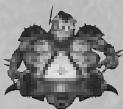
ASSAULT COMMANDER - The free-floating Assault Commander knows how to throw his weight around as he engages his anti-grav spin-deck in your face. When at greater distances, he fires deadly rockets from his rear port which dangles below his anti-grav spin-deck. The Assault Commander may drop a supply of rockets when killed.

BOSSES - You will encounter four different alien bosses, each determined to rip off you head and shi...well you get the idea. You will have to discover each of their own unique attacks and weaknesses and if you are lucky enough to survive, you get a nifty little cut scene after each.
THE STATUS BAR
During game play, the status bar at the bottom of the screen reveals plenty of info. Here is a description of all the items in the status bar, from left to right:
HEALTH - Shows Duke's health level. If this drops to zero, you're dead.
ARMOR - Shows the percentage of Duke's armor that is left.
WEAPONS - Shows the status of Duke's weapons. (For each weapon, there is a two part number. The first set of numbers are the amount of ammo you have for that weapon, the second set is the maximum amount of ammo possible for that weapon.) If the numbers are brightly lit, it is the currently selected weapon. If it is of medium brightness, it means you have the weapon, but it is not currently selected. If it is dark, it means you have not found that weapon yet.
AMMO - Shows the amount of ammo left for the currently selected weapon.
INVENTORY - Shows the percentage and status (if applicable) of the currently selected inventory item. To change the currently selected item, use either the "[ " or " ]" keys.
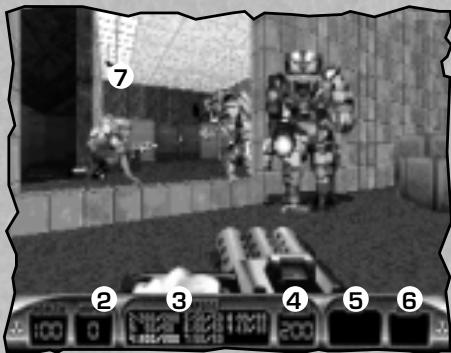
Status Bar
KEYS - Shows the keys currently in your possession. Keys are required to unlock certain doors in the game. Once you have used a key to unlock a door, the key used no longer appears in this window.
1- Health
2-Armor
3-Weapons
4-Ammo
5- Inventory
6- Keys
7-Cool! Duke's reflection
HINTS
Here are some hints regarding useful objects that Duke Nukem will encounter during the game:

EXIT SYMBOL - (Press SPACEBAR near the symbol to exit.) Find this symbol to exit the level and then, nuke the mother.


CANISTERS - Exploding barrels and canisters are located in strategic areas within the game. Shoot them and watch-out!

TELEPORTERS - Just walk through these state-of-the-art doorways and then find yourself in a different part of the level.

WATER - Duke can make small health gains by drinking deeply from such sources as water fountains, broken fire hydrants, and broken toilets.
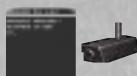
MONITORS AND CAMERAS - (Press SPACEBAR to use.) Cameras are placed throughout the level. Walk up to a monitor and press the SPACEBAR to scroll through the views of each camera available to that monitor.

VENTS - You can crawl through vents where you will often find powerups and other helpful items. Just blast a hole through it and jump into the vent.
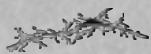
CRACKS IN WALLS - Look for secret areas that are sometimes hidden behind cracked walls. Use an explosive weapon to open a hole in the wall.
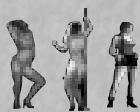
THE BABES - If for some sick reason you shoot these hot vixens, look out! This causes some really PO'ed aliens to spawn around you.
DUKEMATCH CHOICES
You have not really experienced Duke Nukem 3D in its fullest until you play a DukeMatch game. There is nothing more challenging than playing against another human character, and the thrill of hunting them down like dogs cannot be overstated. This section will get you started with playing DukeMatch games over your network or modem. This manual does not provide us with space enough to do anything more than cover the high points, so please run DN3DHELPXE for more detailed information.
Multi-Play
You can play DukeMatch against one to seven computer controlled Dukes.
Start the game as follows. "DUKE3D /a /q# /v# /l# /m
/a: Tells computer to use the computer controlled Dukes
//q#: enter (1-7) in place of # for the number of Dukes
//v#: enter (1-4) in place of # for the mission number
//: enter the level number in place of #
/m: Turns monsters off
For example, to play 6 Dukes, mission 3, level 2: type: "DUKE3D /a /q6 /v3 /l2 /m"
NOTE: Type "DUKE3D ?" to see a complete list of the command line options.
NETWORK GAMES
- Run SETUPXE and select the menu option "Network Game".
- Select the number of players (1-8), leave the socket number at "default" (unless you have problems), and select a "Player Name" if you like.
- Select the "Launch Duke Nukem 3D" menu item under the "Network Game" menu.
- The game will "look" for all the players and start.
MODEM GAMES
- Run SETUP.EXE and select the menu option "Modem Game".
- Select whether you will "Wait for Call" or "Dial your opponent".
- Select "Setup COM Port" and select which COM port your modem uses. Leave the other options as they are for now, unless you experience problems.
- Under "Setup Modem", choose your modem type. (NOTE: The default ATZ string will work in most cases. Try it first).
- Under "Player Name", select a name for yourself if you like.
- If you are the " caller", you will need to setup a phone number under "Phone Number List".
- Select the "Launch Duke Nukem 3D" menu item under the "Modem Game" menu.
- The modem initialization will begin, followed by Duke Nukem 3D.
SERIAL GAMES
- Run SETUP.EXE and select the menu option "Serial Game".
- Select "Setup COM Port" and select which COM port you want to use. Leave the other options as they are for now, unless you experience problems.
- Under "Player Name", select a name for yourself if you like.
- Select the "Launch Duke Nukem 3D" menu item under the "Serial Game" menu.
- The serial initialization will begin, followed by Duke Nukem 3D.
REMOTERIDICULE
RemoteRidicule is used to "taunt" your opponent(s) during DukeMatch. By pressing ALT F1-F10 during play, your opponents will hear your taunts. These sounds come from a file called DUKE3D.RTS. You can select which RTS file to use during play in the SETUP program. We have included software on the CD that will allow you to create your own RTS files.
Note: If parental lock is on remote ridicule will not work.
SENDING MESSAGES
You will need to "chat" with your opponents while playing DukeMatch. You can do so by pressing "T" during play, then typing a message to them. It's a good way to laugh at their pitiful play, or suggest a new level to try. Say what you want, we're not the FCC.
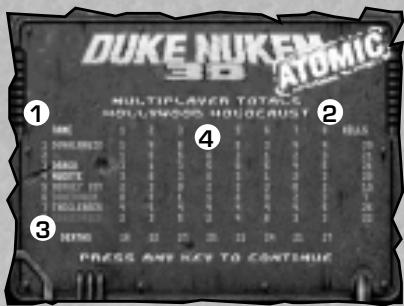
Kill Count Screen
1- List of DukeMatch players.
2- Total number of kills each player scored.
3- Total number of times each player was killed.
4- Record of individual kills by each player, including how many times each player killed himself.
CONTROLLING THE ACTION
You can play Duke Nukem 3D by using a joystick, mouse, GamePad™, or the keyboard. The following outlines the default player input actions and the functions they control:
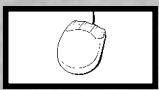

| Button 1 | Fires the selected weapon |
| Button 2 | Walk forward |
| Button 3 | Strafe |
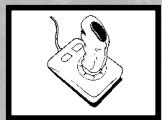

| Movement | Direction |
| Button 1 | Fires the selected weapon |
| Button 2 | Strafe |
| Button 3 | Run |
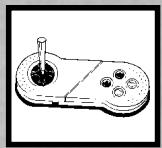

| Movement | Direction |
| Button 1 | Fires the selected weapon |
| Button 2 | Strafe |
| Button 3 | Walk forward / run |
| Button 4 | Use items or open doors |
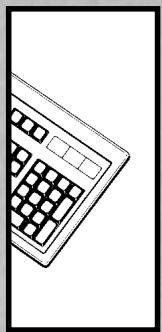

| Arrows | Movement |
| Spacebar | Use items or open doors |
| Tab | 2D map modes |
| Shift + Arrow | Run in direction of arrow key |
| Caps Lock | Auto run |
| Alt + Arrow | Strafe in direction of arrow key |
| Ctrl | Fire current weapon |
| A | Jump |
| Z | Crouch |
| Backspace | 180° Turn |
| [ or ] | Select inventory item |
| Enter | Use current inventory item |

eae
H Use HoloDuke (if owned)
J Use Jetpack (if owned)
N Use Night Vision (if owned)
M Use Medkit (if owned)
R Use Steroids (if owned)
's 1-0 Weapons selection
; or ' Previous weapon or next weapon
Scroll Lock Holster weapon
Keypad 5 Center view
Home\End Aim up\Aim down
PgUp\PgDn Look up\Look down
Ins\Del Peek left\Peek right
Pause | Pause game (hold Shift to avoid message)
Esc E escape back to Main Menu
F1 Help and game story
F2 Save game
F3 Load game
F4 Sound\Music settings
F5 Jukebox
F6 Quick save
F7 Chase view
F8 Toggle messages On\Off
F9 Quick load
F10 Quit to DOS
F11 Brightness
F12 Take a PCX screen shot
Comm-bat Options for DukeMatch play
Alt + F1-F10 RemoteRidicule using preset sounds
Shift + F1-F10 Send pre-defined Macro Messages
T Type a message to everyone
W Show opponent's weapon
K See Co-Op view
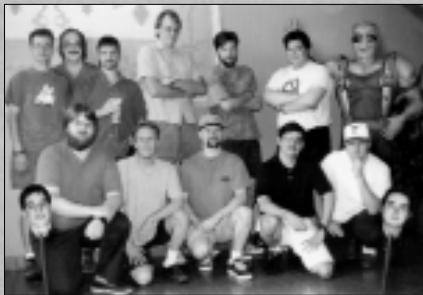
DUKE NUKEM ATOMIC EDITION TEAM
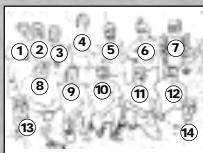
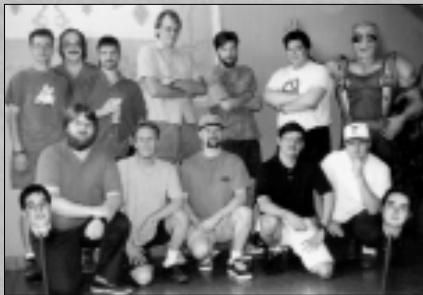
Standing Row: Brian Martel, Stephen Hornback, Chuck Jones, Keith Schuler, Randy Pitchford, George Broussard, Duke Nukem; Kneeling Row: Lee Jackson, Todd Replogle, Allen Blum, Dirk Jones, Doug Wood; Staked Row: Ken Silverman, James Storey
Project Leader/Director
George "Frame rate sucks" Broussard
Assistant Director
Allen H. "Done. Next?" Blum III
Game Programming
Todd "How's the game running?" Repogle
3D Build Engine/Tools/Network
Ken Silverman
Map Design
Allen H. "Nice Hat!" Blum III
George "Keyboarder" Broussard
Randall S. "DuvalMagic" Pitchford II
Keith "Duke maps are easy" Schuler
3D Modeling
Chuck "The animation is
cookin"Jones
Additional 3D Modeling
Douglas R. "Hiccup...Kill me!!" Wood
Artwork
Stephen "Chillin" Hornback
Dirk "Don't touch my toys" Jones
Brian "Left MP in time" Martel
James "Fish and Chips" Storey
Douglas R. "Slippers" Wood
Music and Sound Effects
Lee "Make it louder" Jackson
Voice Talent
Lani Minella-ProMotions Prod. Co.
Jon St. John as "Duke Nukem"
Special Thanks to:
Steven Blackburn, Scott Miller
Joe Siegler, Terry Nagy
Colleen Compton, Kevin Green
Bryan Turner, Dennis DeSmeth, Brett Young
all the 3D Realms beta testers
CHEAT CODES
If you are really getting your butt kicked and need some help, type the following during a game:
DNKROZ / DNCORNHOLIO - GOD mode.
DNSTUFF - All weapons, keys and extra ammo.
DNSCOTTY Episode # Level ## - Warp.
example:DNSCOTTY105 - goes to episode 1, level 5)
TROUBLESHOOTING
For troubleshooting information, please refer to the on-disk manual provided on your CD.
To access the on-line manual, do the following:
- Place the CD in your CD-ROM drive (typically drive D:)
- Switch to your CD-ROM drive by typing D: (if D: is not assigned to your CD-ROM drive, substitute the appropriate letter) and press [ENTER]
3.Type CD\ATOMINST [ENTER]
4.Type DN3DHELP [ENTER] - Use the down arrow key or Page Down to the troubleshooting section.
TECHNICAL ASSISTANCE
For technical support, the Infogrames United Kingdom Helpline is open to telephone calls from 10:00 to 19:00 Monday to Friday (except Bank Holidays):
Technical Helpline Infogrames UK
21 Castle Street - Castlefield
Manchester M3 4SW
ENGLAND
Tel: 0161 827 8060/1
E-mail: helpline@uk.infogrames.com
Useful Online Info
Major Online Services
3D Realms has forums on both CompuServe and America Online! Both of these have all of our shareware (as well as Apogee's, too!) available for download. They also have other helpful files, as well as some user submitted files.
CompuServe:Type "GO REALMS" at any! prompt
America Online: Use the keyword '3D REALMS' to get to our forum.
Internet Services
WORLD WIDE WEB:
3D Realms has its own World Wide Web Site! Point your Web Browser to the URL http://www.3drealms.com, and you'll reach us on the Web! We have all kinds of cool files and information here, so if you like Apogee or 3D Realms and you're on the Web, you need to be here! You can learn about future games and take a "virtual tour" of our headquarters.
INTERNET MAILING LIST:
Join our Internet mailing list! If you are on the Apogee mailing list you will receive press releases, general info, new game release notifications, and other miscellaneous items. Drop us a line at help@apogee1.com, and we'll put you on. It doesn't cost anything, and all we need is your Internet E-Mail address!
WHERE TO FIND US ONLINE
CompuServe
Go "Reals"
America Online
Keyword "3D Realms"
Internet/Web Site
http://www.3dreams.com
Visit 3D Realms Entertainment on the World Wide Web today! Reachable with your WWW browser, the 3D Realms Web site has everything you want to know about 3D Realms' games (and Apogee's too!).
From our product catalog, to news flashes about our latest releases, you'll be right up to date with the happenings of 3D Realms.
While you're here, make sure to take a look at our "Live Shot" camera. It's hooked up to one of our development computers, and you will see shots from an upcoming game! You can also chat with other site visitors on our Java enabled Chat area! All this and much much more is yours for FREE: just visit http://www.3dreams.com!
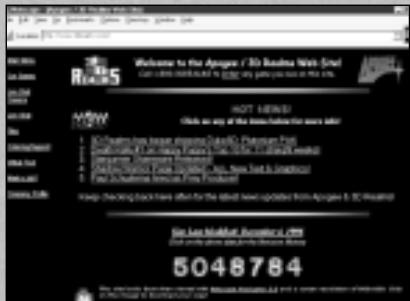
WEB Screen
INFOGRAMES END USER LICENSE AGREEMENT
PLEASE READ CAREFULL. BY USING THIS SOFTWARE, YOU ARE AGREEING TO BE BOUND BY THE TERMS OF THIS LICENSE. IF YOU DO NOT AGREE TO THESE TERMS, PROMTLY RETURN THE PRODUCT IN ITS PACKAGING TO THE PLACE WHERE YOU OBTAINED IT.
GRANT OF LICENCE:
INFOGRAMES (hereinafter "the Licensor") grants you a non-exclusive licence to use this disc and any accompanying documentation (hereinafter collectively known as 'the Software')subject to your acceptance of the following provisions.
USE:
You are permitted to use the Software in machine-readable only on a single computer, except that the multi-player executable file may be installed on more than one computer solely for the purposes of enabling multi-player play in accordance with the Software's documentation. You may copy the Software only to install it on a single computer and for backup purposes in support of your use of the Software, except that the multi-player executable file may be copied for the purposes of enabling multi-player play in accordance with the Software's documentation. If you copy the Software you must reproduce all copyright and other proprietary notices that are on the original copy of the Software
RESTRICTIONS:
You may not use, copy, modify or transfer the Software, or any copy thereof, in whole or in part, except as expressly provided for in this Agreement. Any attempt to transfer any of the rights, duties or obligations hereunder is void. You may not rent, lease, loan, resell for profit or distribute the Software, or any part thereof. You may not reverse engineer, disassemble, decompile or translate the Software or otherwise attempt to derive the source code of the Software except to the extent that reverse engineering cannot be contractually restricted
NO WARRANTY:
THE SOFTWARE IS LICENSED TO YOU ON AN "AS IS" BASIS, AND THE LICENSOR (INCLUDING ITS SUB-CONTRACTORS, SUPPLIERS AND/OR RESELLERS) MAKES NO EXPRESS OR IMPLIED WARRANTY OF ANY KIND, INCLUDING WITHOUT LIMITATION, THE IMPLIED WARRANTY OF MERCHANTABILITY, FITNESS FOR A PARTICULAR PURPOSE, SUITABILITY FOR PURPOSE, SATISFACTORY QUALITY AND THEIR EQUIVALENTS UNDER THE LAWS OF ANY JURISDICTION AND YOU ACCESS THE SOFTWARE ENTIRELY AT YOUR OWN RISK AND OF YOUR OWN VOLITION.
THE DISCLAIMER OF WARRANTY REFERED TO ABOVE CONSTITUTES AN ESSENTIAL PART OF THIS AGREEMENT AND ANY AND ALL USE OF THE SOFTWARE HEREUNDER IS ONLY AUTHISED SUBJECT TO YOUR ACCEPTANCE OF THE PROVISIONS RELATING TO 'NO WARRANTY' AS DETAILED ABOVE. THIS CLAUSE DOES NOT EFFECT YOUR STATUTORY RIGHTS AS A CONSUMER.
TITLE:
Title, ownership rights, and intellectual property rights in the Software shall remain with the Licensor. The Software is protected by copyright and other intellectual property laws and by international treaties. Title and related rights in the content accessed through the Software is the property of the applicable content owner and is protected by applicable law. The license granted under this Agreement gives you no rights to such content.
TERMINATION:
This Agreement and the licence granted hereunder will terminate automatically if you fail to comply with the provisions contained herein. Upon termination, you must destroy any and all copies of the Software and any related documentation.
LIMITATION OF LIABILITY:
IN NO CIRCUMSTANCES SHALL THE LICENSOR (INCLUDING ITS SUB-CONTRACTORS, SUPPLIERS AND/OR RESELLERS) BE LIABLE TO YOU OR ANY OTHER PERSON FOR ANY INDIRECT, SPECIAL, INCIDENTAL, OR CONSEQUENTIAL DAMAGES (WHEHTY FORESEEABLE OR NOT) NOR FOR DAMAGES FOR LOSS OF BUSINESS, LOSS OF PROFITS, LOSS OF CONTRACTS OR ANTICIPATED SAVINGS, LOSS OF GOODWILL, WORK STOPPAGE, COMPUTER FAILURE OR MALFUNCTION (WHEHTY FORESEEABLE OR NOT) IN CONTRACT, TORT (INCLUDING NEGLIGENCE), BREACH OF STATUTORY DUTY, PRODUCT LIABILITY OR OTHERWISE ARISING FROM OR IN ANY WAY CONNECTED WITH THE USE OF THE SOFTWARE OR THIS AGREEMENT AS SHALL APPLY HAVING REGARD TO THE LAWS OF APPLICABLE JURISDICTIONS. IN NO EVENT WILL THE LICENSOR BE LIABLE FOR ANY DAMAGES IN EXCESS OF THE AMOUNT LICENSOR RECEIVED FROM YOU FOR A LICENCE TO THE SOFTWARE, EVEN IF THE LICENSOR SHALL HAVE BEEN INFORMED OF THE POSSIBILITY OF SUCH DAMAGES. YOUR STATUTORY RIGHTS AS A CONSUMER ARE NOT EFFECTED BY THIS PROVISION.
NON-ASSIGNMENT:
For the avoidance of any doubt, nothing in this Agreement shall entitle you to in any way assign or transfer any or all of the rights granted to you in accordance with the provisions of this Agreement to any third party
GENERAL:
This Agreement represents the complete agreement concerning the licence granted hereunder and may be amended only by a writing executed by both parties. Any action related to this Agreement will be governed by English law. If any provision of this Agreement is held to be unenforceable, that provision will be removed and the remaining provisions will remain in full force.
FRANCAIS
TABLE DES MATIERES
CONFIGURATION REQUISE 28
INSTALLATION 28
COMMENCER UNE PARTIE ET MENU PRINCIPAL 29
Nouvelle Partie 30
OPTIONS. 31
ENREGISTREMENT DE DEMOS ET CARTE AUTOMATIQUE 2D. 32
ARMES ET MUNITIONS. 33-34
OBJETS ET CLÉS 35-36
ENNEMIS ET PERSONNAGES 37-38
LA BARRE D'ETAT. 39
ASTUCES. 40
CHOIX DE DUKEMATCH (PARTIE MODEM/RéSEAU). 41-42
CONTROLLER L'ACTION. 43-44
PHOTO DE L'ÉQUIPE DE DUKE 45
ASSISTANCE TECHNIQUE ET CHEATS 46
ASSISTANCE TECHNIQUE ET INFOS EN LIGNE 47-48
TABLE DES MATIERES
A LIRE AVANT Toute UTILISATION D'UN JEU VIDEO PAR VOUS-MEME OU PAR VOTRE ENFANT.
Ambience (Son d'ambiance): activer/désactiver
Flip Stereo : activer/désactiver
PARENTAL LOCK (VERROUILLAGE PARENTAL)
Options Screen
Parental Lock
POWERUPS, OBJECTS ET CLES
LA SANTE ATOMIQUE - This prized health item will instantly boost Duke's health by 50 health points, and may take Duke's health as high as 200 points.
ENNEMIS ET PERSONNAGES
KEYS - Shows the keys currently in your possession. Keys are required to unlock certain doors in the game. Once you have used a key to unlock a door, the key used no longer appears in this window.
1-SANTE (HEALTH)
2- BLINDAGE (ARMOR)
3- ARMES (WEAPONS)
4-MUNITIONS (AMMO)
5- INVENTAIRE (INVENTORY)
6- CLES (KEYS)
7- Genial! Le reflet de Duke
ASTUCES
Origine\Fin Aim up\Aim down
Debout: Brian Martel, Stephen Hornback, Chuck Jones, Keith Schuler, Randy Pitchford, George Broussard, Duke Nukem Assis: Lee Jackson, Todd Replogle, Allen Blur, Dirk Jones, Doug Wood; Staked Row: Ken Silverman, James Storey
George "Frame rate sucks" Broussard
Director assistant
Allen H. "Done. Next?" Blum III
Todd "How's the game running?" Repogle
George "Keyboarder" Broussard
Randall S. "DuvalMagic" Pitchford II
Keith "Duke maps are easy" Schuler
Modélisation 3D
Chuck "The animation is
cookin"Jones
Douglas R. "Hiccup...Kill me!!" Wood
Images
Stephen "Chillin" Hornback
Dirk "Don't touch my toys" Jones
Brian "Left MP in time" Martel
James "Fish and Chips" Storey
Douglas R. "Slippers" Wood
Steven Blackburn, Scott Miller, Joe Siegler, Terry
Nagy, Colleen Compton, Kevin Green, Bryan
- INSTALLATION
- GETTING STARTED
- DUKE'S MISSION
- MAIN MENU
- NEW GAME
- SAVE GAME (PRESS F2 DURING GAME PLAY)
- OPTIONS
- PARENTAL LOCK
- LOAD GAME (PRESS F3 DURING GAME PLAY)
- RECORDING DEMOS
- 2D AUTOMAP (PRESS THE TAB KEY DURING GAME PLAY)
- WEAPONS AND AMMO
- POWERUPS, ITEMS AND KEYS
- HEALTH ITEMS
- INVENTORY ITEMS
- ENEMIES AND CHARACTERS
- THE STATUS BAR
- HINTS
- DUKEMATCH CHOICES
- MULTI-PLAY
- NETWORK GAMES
- MODEM GAMES
- SERIAL GAMES
- REMOTERIDICULE
- SENDING MESSAGES
- CONTROLLING THE ACTION
- EAE
- DUKE NUKEM ATOMIC EDITION TEAM
- PROJECT LEADER/DIRECTOR
- ASSISTANT DIRECTOR
- GAME PROGRAMMING
- 3D BUILD ENGINE/TOOLS/NETWORK
- MAP DESIGN
- 3D MODELING
- ADDITIONAL 3D MODELING
- ARTWORK
- MUSIC AND SOUND EFFECTS
- VOICE TALENT
- SPECIAL THANKS TO
- CHEAT CODES
- TROUBLESHOOTING
- TECHNICAL ASSISTANCE
- USEFUL ONLINE INFO
- INTERNET SERVICES
- INTERNET MAILING LIST
- WHERE TO FIND US ONLINE
- INFOGRAMES END USER LICENSE AGREEMENT
- TITLE
- TERMINATION
- LIMITATION OF LIABILITY
- NON-ASSIGNMENT
- GENERAL
- FRANCAIS
- TABLE DES MATIERES
- PARENTAL LOCK (VERROUILLAGE PARENTAL)
- POWERUPS, OBJECTS ET CLES
- ENNEMIS ET PERSONNAGES
- ASTUCES
- DIRECTOR ASSISTANT
- MODÉLISATION 3D
- IMAGES
Brand : GAMES PC
Model : DUKE NUKEM 3D-ATOMIC EDITION
Category : Video game